 USD
USD


Owning an Apple Vision Pro opens a portal to spatial computing, but this advanced technology requires reliable power. Understanding your charging options is crucial for maintaining seamless immersion. This guide delves into the specifics of the Vision Pro charger, explores the Apple Vision Pro charger price landscape, and highlights why a dedicated Apple Vision Pro dock is a transformative accessory for your workflow.
Understanding the Apple Vision Pro Power Ecosystem
The Apple Vision Pro utilizes a unique external battery pack connected via a proprietary locking mechanism and cable. This design keeps the headset lightweight but introduces specific power management considerations. The included charger is a capable starting point, but users seeking faster charging, better organization, and enhanced protection often look to third-party solutions. For those managing multiple devices, understanding universal standards like USB-C Power Delivery is key; a high-quality c type battery can serve as a versatile backup power source for your Vision Pro and other gadgets.
Analyzing the Apple Vision Pro Charger and Price Considerations
The term "Apple Vision Pro charger" typically refers to the official power adapter and cable bundle provided in the box. It's a USB-C power adapter paired with a magnetic cable that connects to the external battery. When discussing Apple Vision Pro charger price on the secondary market or as a replacement, it's important to purchase from authorized retailers to ensure compatibility and safety. Unofficial chargers may not deliver the correct power profile, potentially leading to slower charging or long-term battery health issues.
Investing in a high-wattage, reputable USB-C charger (65W or higher) is advisable for users who want the fastest possible charge for their Vision Pro battery. This is where dedicated docking stations truly excel, as they often bundle an optimized, high-speed charger.
Why a Dedicated Apple Vision Pro Dock is a Game-Changer
While the included cable works, a dedicated Apple Vision Pro dock elevates the experience from mere functionality to integrated convenience. A dock serves as a permanent home for your Vision Pro's battery, transforming charging from a chore into a simple, one-step action. It solves common pain points like cable clutter, desk space organization, and the risk of damaging the battery's connectors through frequent plugging and unplugging.
Key Features to Look for in a Vision Pro Charging Dock
When selecting a dock, several features separate adequate products from exceptional ones:
- High-Speed Charging: Look for docks that support 65W or higher USB-C Power Delivery. This ensures your Vision Pro battery charges at its maximum potential speed.
- Secure and Protective Design: A soft, silicone-based cradle prevents scratches and absorbs minor shocks, keeping your battery in pristine condition.
- Cable Management: Integrated channels or compartments to neatly store the battery cable eliminate desktop clutter.
- Safety Protections: Essential circuitry for over-current, over-voltage, overheat, and overcharge protection is non-negotiable for device safety.
- Aesthetic and Form Factor: The dock should be stable, compact, and complement your workspace aesthetics.
Recommended Product: Carina D1 Charging Dock for Apple Vision Pro
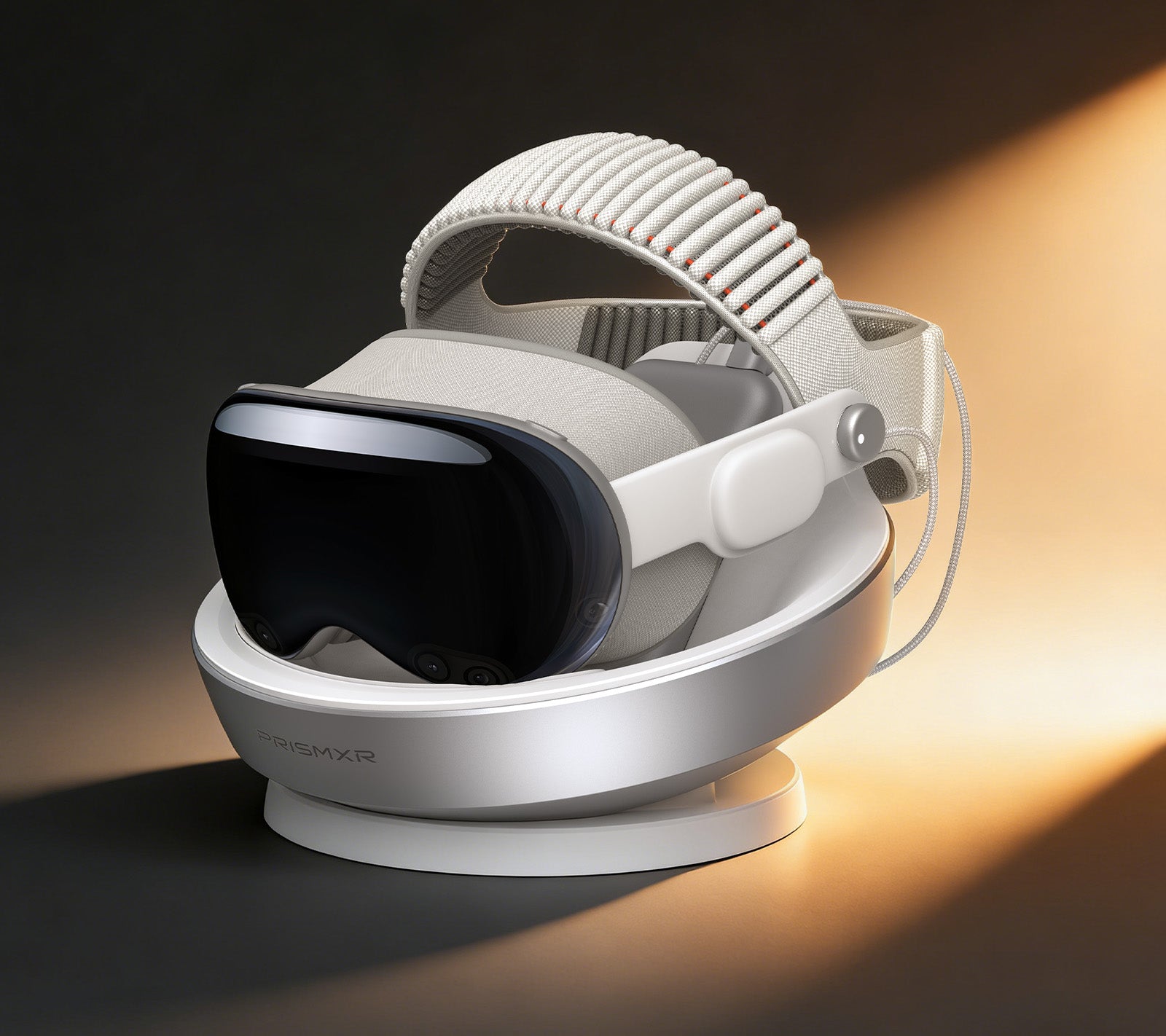
For users seeking a premium, feature-complete solution, the Carina D1 Charging Dock stands out. It encapsulates all the ideal attributes of a modern charging accessory for the Vision Pro.
Product Link: Carina D1 Charging Dock for Apple Vision Pro
This dock is engineered to seamlessly integrate into your daily routine, offering the following advantages:
Contact-and-Charge Simplicity
The design philosophy is one of effortless interaction. You simply place your Vision Pro battery onto the charging cradle. The connection is immediate and secure, initiating a steady, efficient charge without the need to fumble with cables every time.
65W Ultra-Fast Charging Performance
This is a cornerstone feature. By unlocking 65W high-speed charging, the Carina D1 dramatically reduces downtime. You can charge your Vision Pro battery to 80% capacity in approximately 40 minutes, ensuring you're ready for extended use sessions much faster than with standard chargers.
Premium Protection with a Soft-Touch Finish
The entire charging surface is finished with a remarkably soft silicone material. This does more than just feel premium; it provides reliable protection against scratches and minor abrasions as you place and remove the battery, safeguarding your device's aesthetics and resale value.
Intelligent Nest Bionic Design
Inspired by the efficient form of a natural nest, the dock offers compact, organized storage. It cradles the Vision Pro battery intuitively, making it easy to retrieve and return, while keeping your desk space orderly and minimalist.
Integrated Cable Storage Solution
A dedicated channel is built into the dock's design to neatly coil and store the Vision Pro's battery cable. This effectively tackles wire clutter, maintaining a clean and professional workspace environment.
Comprehensive Safety and Stability
The Carina D1 is built with user safety as a priority. It incorporates multiple protection layers—guarding against over-current, over-voltage, overheating, and overcharging. This ensures that every charging cycle is not only fast but also completely safe for your valuable Vision Pro battery.
Flexible USB-C Port Freedom
The dock includes a USB-C input port, allowing you to use the included 65W charger or seamlessly switch to another compatible high-wattage USB-C charger you may already own. This flexibility ensures you can achieve ultra-fast 65W charging in any scenario.
Building Your Optimal Vision Pro Charging Station
Creating a reliable power hub enhances your overall experience. Consider a multi-device setup: pair your Carina D1 dock with a high-capacity USB-C power strip. This allows you to charge the Vision Pro battery, your iPhone, and even a MacBook simultaneously from a single wall outlet. Always use certified cables and chargers that support the necessary power delivery protocols to ensure efficiency and safety across all devices.
Conclusion: Investing in Power and Convenience
The Apple Vision Pro charger that comes in the box is functional, but exploring the ecosystem reveals significant upgrades. While the Apple Vision Pro charger price for official replacements is a consideration, the value of a dedicated Apple Vision Pro dock extends far beyond simple power delivery. It represents an investment in convenience, device protection, and workspace harmony. A solution like the Carina D1 Charging Dock, with its 65W fast charging, protective design, and intelligent cable management, transforms charging from an afterthought into a seamless, integrated part of your spatial computing lifestyle.
Frequently Asked Questions (FAQ)
Q1: Can I use any USB-C charger with my Apple Vision Pro or its dock?
A: Not all USB-C chargers are equal. For optimal and safe fast charging, especially with a dock like the Carina D1, you need a charger that supports USB-C Power Delivery (PD) at 65W or higher. Using an underpowered or non-compliant charger will result in significantly slower charging speeds.
Q2: Will using a third-party dock like the Carina D1 void my Apple Vision Pro warranty?
A: Using a third-party charging dock for the external battery pack does not typically void the warranty on the Apple Vision Pro headset itself. However, any damage caused to the battery by a faulty third-party accessory may not be covered by Apple's warranty. It is crucial to choose reputable, safety-certified accessories like the Carina D1 that have built-in protection circuits.
Q3: How does the dock charge the battery if it doesn't use the magnetic connector?
A: High-quality docks like the Carina D1 are designed to charge the battery via its built-in USB-C port. You connect the Vision Pro's original magnetic cable (or a compatible one) from the dock's output to the battery, and the dock manages the power delivery. The "cradle" design holds the battery securely while it charges via this connected cable, with the cable itself often routed and stored within the dock's body for a clean look.