 USD
USD


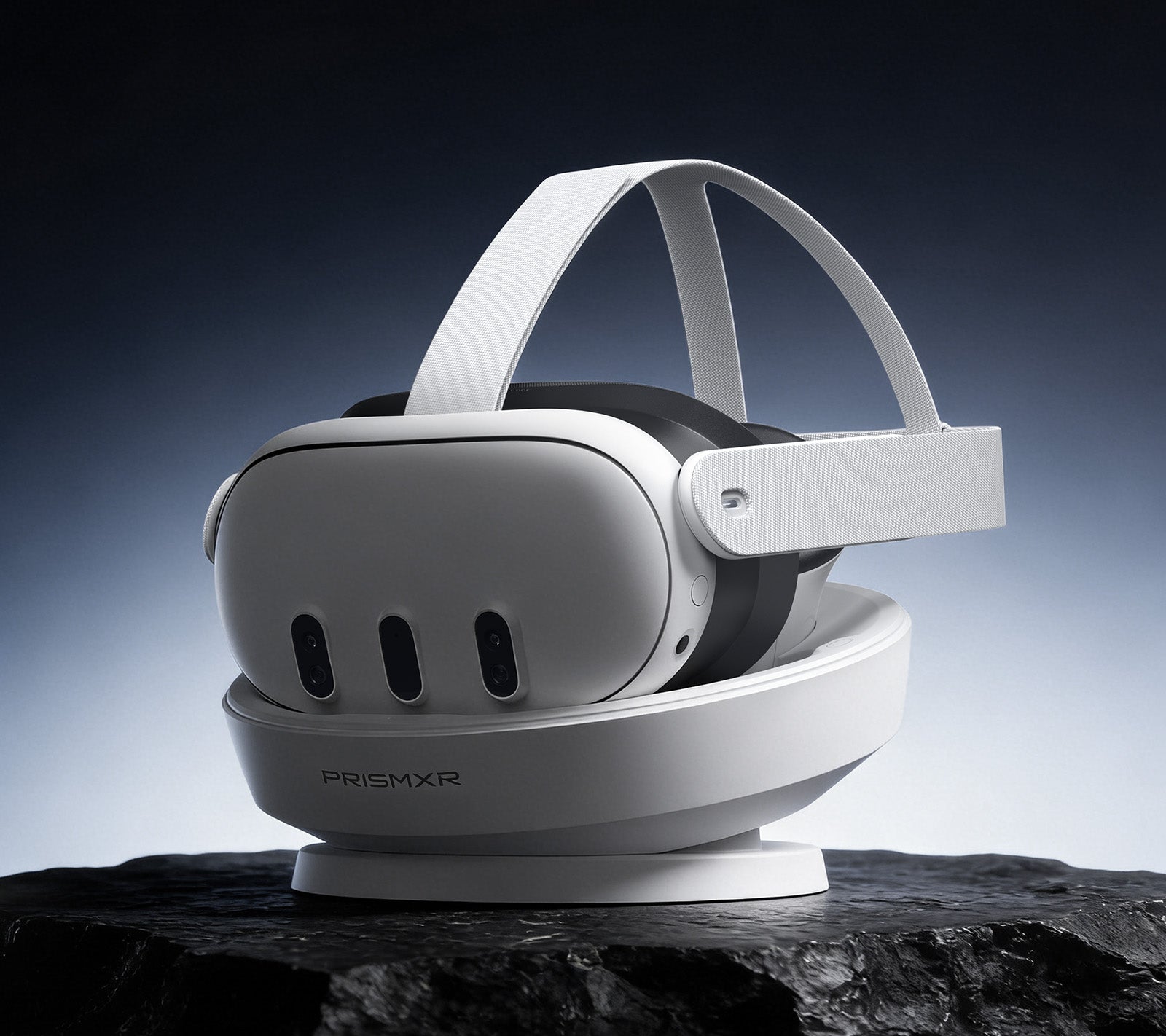
Owning a Meta Quest 3 unlocks a universe of immersive virtual reality experiences, from intense gaming to productive workspaces. However, the magic fades quickly when you're met with a low battery warning mid-session. Managing the headset and its controllers with separate cables can lead to a tangled, inefficient charging routine. This is where a dedicated charging dock for Meta Quest 3 becomes an indispensable accessory. It transforms power management from a chore into a seamless, integrated part of your VR lifestyle.
A high-quality dock does more than just charge; it serves as a organized home for your headset, ensuring it's always ready for your next adventure. This guide will explore why you need a dock, what features to look for, and how to choose the best solution for your needs.
Why Your Meta Quest 3 Needs a Dedicated Charging Dock
Relying on the included USB-C cable is functional but far from optimal. It often involves fumbling in the dark to find the port, dealing with a messy desk, and uncertainly about whether the controllers are charged. A dedicated charging dock quest 3 solves these pain points elegantly.
Primarily, it offers incredible convenience. You develop a habit: after your session, you simply place the headset and controllers onto the dock. Magnetic connectors or precise cradles ensure perfect alignment every time, initiating charge immediately. This eliminates wear and tear on the headset's USB-C port from repeated plugging and unplugging.
Secondly, it provides organization. A good dock holds everything in one place—headset, controllers, and even optional accessories like battery power packs. This not only keeps your space tidy but also protects your valuable investment from accidental knocks or falls. For extended play, pairing your dock with an external battery power pack can be a game-changer, effectively doubling or tripling your usable time.
Finally, it ensures readiness. Waking up to a fully charged Meta Quest 3 and controllers means you can dive into VR without any delay or planning. It provides peace of mind, knowing your entire system is at 100% whenever inspiration strikes.

Key Features to Look for in a Meta Quest 3 Charging Station
Not all docks are created equal. When searching for the meta quest 3 best charging dock, several critical features distinguish a good product from a great one.
Simultaneous and Intelligent Charging
The core function is to charge all components at once. Look for a dock that charges the headset and both Touch Plus controllers simultaneously. Advanced docks feature smart IC chips that manage power distribution efficiently. This technology delivers the optimal current to each device, monitors battery temperature, and automatically switches to trickle charging once full. This intelligent management is crucial for long-term battery health and safety.
Design and Stability
The physical design is paramount. The dock must hold the Quest 3 headset securely, often using a weighted base or non-slip materials to prevent tipping. Cradles for the controllers should be intuitive and grippy, so they snap into place easily. A compact footprint is also desirable, as it should fit neatly on a desk, shelf, or entertainment center without occupying excessive space.
Protection and Build Quality
Since your expensive VR gear will rest here daily, the dock's materials matter. Look for soft silicone or rubberized contact points where the headset lenses and controller rings touch the dock. These materials prevent scratches and micro-abrasions. The overall build should feel solid and durable, not cheap or flimsy.
Additional Functionality
Some premium docks offer extra features that enhance utility. A LED indicator system is helpful, showing charging status at a glance (e.g., red for charging, green for full). A passthrough USB-C port on the dock can be useful for connecting a link cable or charging other devices. The very best designs incorporate cable management to hide the power adapter cord, contributing to a clean setup.
Top Benefits of Using a Premium Charging Dock
Investing in a well-engineered charging station yields significant long-term advantages beyond simple convenience.
Maximized Battery Lifespan: Consistent, managed charging from a smart dock is gentler on lithium-ion batteries than erratic charging cycles with varying cable and brick quality. By avoiding overcharging and managing heat, a good dock can help preserve your Quest 3's battery capacity over years of use.
Enhanced User Experience: The ritual of docking your headset creates a satisfying start and end point to your VR sessions. It reduces friction, making it more likely you'll jump into VR spontaneously. The organized display also adds a touch of tech sophistication to your room.
Travel and Storage Readiness: For users who take their Quest 3 to friends' houses or events, a dock acts as a perfect storage and transport station. Everything is together, charged, and protected, making setup elsewhere quick and easy.
A Glimpse into the Future: Charging Docks for Apple Vision Pro
The principles of elegant, efficient power management extend beyond the Meta ecosystem. As spatial computing evolves with devices like the Apple Vision Pro, the need for sophisticated charging solutions grows. The Carina D1 Charging Dock for Apple Vision Pro exemplifies the next generation of docking technology.
This dock showcases features that may soon become standard for all VR/AR gear. Its 65W Ultra-Fast Charging capability can bring a Vision Pro battery to 80% in roughly 40 minutes, addressing the need for quick power top-ups. The Contact-and-Charge design with Pogo Pins offers a seamless drop-and-charge experience, eliminating the need to fiddle with ports.
Thoughtful design elements like its soft-touch silicone finish for scratch protection, a nest-inspired bionic design for compact organization, and integrated cable storage highlight a focus on user experience and aesthetics. Its robust protection suite (over-current, voltage, heat, and charge) ensures safety for premium hardware. Exploring such innovations, like the Carina D1 Charging Dock for Apple Vision Pro, provides a benchmark for what users should expect from a top-tier charging dock for Meta Quest 3.

How to Choose the Right Dock for Your Setup
Selecting the perfect dock involves assessing your personal habits and environment.
First, consider your primary use case. Is the dock for a dedicated gaming room, a living room entertainment center, or a compact office desk? This will dictate the ideal size and aesthetic. Next, evaluate your charging habits. Do you need the absolute fastest charge, or is overnight charging sufficient? If you use official Meta Quest 3 accessories like the Elite Strap with Battery, ensure the dock you choose is compatible with the headset's form factor while wearing the strap.
Finally, set a realistic budget. Prices range from basic models to feature-rich premium docks. Determine which features are non-negotiable for you—such as simultaneous charging and smart protection—and find the best dock that meets those criteria within your price range. Reading user reviews can provide invaluable real-world insights into a dock's performance and durability.
Conclusion: Elevate Your Meta Quest 3 Experience
A dedicated charging dock quest 3 is far from a mere accessory; it is a foundational tool that enhances every aspect of owning a Meta Quest 3. It guarantees your headset is always ready for action, protects your investment, simplifies your routine, and can even contribute to the longevity of your device's battery. By choosing a dock with simultaneous charging, intelligent power management, and a secure, scratch-free design, you invest in uninterrupted immersion and long-term satisfaction.
As the VR landscape continues to advance, the integration of seamless power solutions like charging docks will only become more critical. By adopting this simple yet powerful technology today, you ensure that your journey into virtual worlds is limited only by your imagination, not by your battery level.
Frequently Asked Questions (FAQ)
1. Can a charging dock overcharge my Meta Quest 3 and damage the battery?
No, a high-quality charging dock with smart charging technology will not overcharge your devices. These docks use intelligent IC chips to monitor the battery status. Once the headset or controllers reach 100% charge, the dock automatically switches to a low-trickle charge or stops charging altogether to protect battery health and prevent overcharging.
2. Are all Meta Quest 3 charging docks compatible with the Elite Strap with Battery?
Not all docks are compatible. The Elite Strap with Battery adds bulk to the rear of the headset. Some docking stations have a fixed-form cradle that may not accommodate this extra thickness. It is essential to check the product specifications or manufacturer's information to confirm compatibility with third-party straps before purchasing a dock.
3. Do I need to use the specific power adapter that comes with the charging dock?
It is highly recommended to use the provided power adapter. Charging docks are engineered to work with a specific power output (e.g., 30W, 45W). Using a lower-wattage adapter may result in extremely slow charging or failure to charge all devices simultaneously. Using a higher-wattage adapter from a reputable brand is generally safe, as devices draw only the power they need, but for optimal performance and guaranteed safety, the included adapter is best.