 USD
USD


The Meta Quest 2 unlocked a world of wireless virtual reality, but its built-in battery often feels like a tether to the real world. Just as you're reaching the final boss, exploring a vast new landscape, or getting into the rhythm of a fitness app, the low battery warning appears. This common frustration has made an external battery pack for Meta Quest 2 an essential accessory for serious users. A dedicated VR battery pack Quest 2 solution does more than just add time; it can rebalance weight, increase comfort, and fundamentally enhance immersion. In this comprehensive guide, we'll explore why you need one, what to look for, and how innovative designs are changing the game.
Why Is a Battery Pack Essential for the Meta Quest 2?
Core Conclusion: A battery pack is no longer a luxury for the Quest 2; it's a critical upgrade that solves the headset's primary limitations: short battery life and front-heavy design.
The Quest 2 offers approximately 2 to 3 hours of use on a single charge, which is often insufficient for extended gaming sessions, immersive movie-watching, or social VR gatherings. Constantly worrying about battery percentage or being tethered to an outlet breaks presence—the magical feeling of being "in" the virtual world. Furthermore, the headset's weight is concentrated at the front, which can cause pressure on the face and neck during long periods of use. A well-designed battery pack quest 2 accessory addresses both issues simultaneously. Adding a counterweight to the back of your setup (whether on the headset strap itself or worn on the body), it improves overall balance. This reduces strain and allows you to play comfortably for longer, which is the true goal. The additional power simply ensures that your comfort isn't interrupted by a shutdown.
What Should You Look for in a Quest 2 Battery Pack?
Choosing the right pack involves more than just picking the highest capacity number. Several factors determine whether an accessory will be a forgotten comfort or a constant annoyance.
Capacity and Playtime: How Much Extra Power Do You Really Need?
Aim for a battery that at least doubles your Quest 2's runtime, with 10,000mAh being a popular sweet spot that triples playtime to around 9 hours.
Battery capacity is measured in milliamp-hours (mAh). The Quest 2 has a roughly 3,640mAh internal battery. A 5,000mAh external pack can effectively double your playtime. However, for users who engage in lengthy sessions or forget to charge regularly, a 10,000mAh battery is the recommended choice. It can fully charge the Quest 2 about 2.5 times, pushing total usage to 8-9 hours—more than enough for even the most dedicated users. It's crucial to consider the physical weight trade-off; higher capacity typically means a heavier battery.
Design and Comfort: Where and How Should the Battery Be Worn?
The mounting method is paramount for comfort. Solutions range from strap-attached counterweights to wearable body packs, with the latter offering superior weight distribution.
This is where innovation thrives. The simplest design is a brick-like power bank clipped to the back of the elite-style head strap. This works as a counterweight but can feel bulky on the head. More advanced solutions involve wearable designs. For instance, a battery pack for meta quest 2 that can be worn on a waist belt or as a cross-body strap removes all weight from your head and neck. This distributes the load to your core, which is better equipped to handle it, leading to a noticeably lighter and more comfortable headset experience. Materials matter too; look for soft, breathable, and adjustable straps.
Charging Speed and Safety: Does It Charge Fast and Stay Cool?
Fast charging (18W+) is desirable, but a built-in cooling system is vital for safety and comfort during extended, active use.
A good VR battery pack Quest 2 should charge your headset at least as fast as the official charger. Look for support for Power Delivery (PD) or Quick Charge (QC) protocols. More importantly, consider thermal management. VR is a physical activity; you move, sweat, and generate body heat. A battery pack pressed against your body or mounted on your head must manage its own heat effectively. Packs with passive cooling designs, thermal insulation, and heat-dissipating materials prevent uncomfortable warmth and ensure long-term battery health and safety.
Connectivity and Ease of Use: Is the Setup Seamless?
A dedicated, tidy cable management system is essential to avoid snagging and maintain immersion.
The best battery packs integrate the cable into the design. A loose cable dangling from your headset to your pocket or waist is a recipe for getting tangled or pulled during gameplay. Ideal solutions use a short, discreet, and routed cable that stays securely connected without adding clutter. Magnetic quick-disconnect features can also be beneficial for easily detaching the headset.
A Closer Look at an Innovative Solution: The Carina W1 Wearable Power Pak
When evaluating the market for a battery pack quest 2, one product stands out for its holistic approach to solving the core problems. The Carina W1 Wearable Power Pak isn't just a battery; it's a comfort and immersion-enhancing platform.
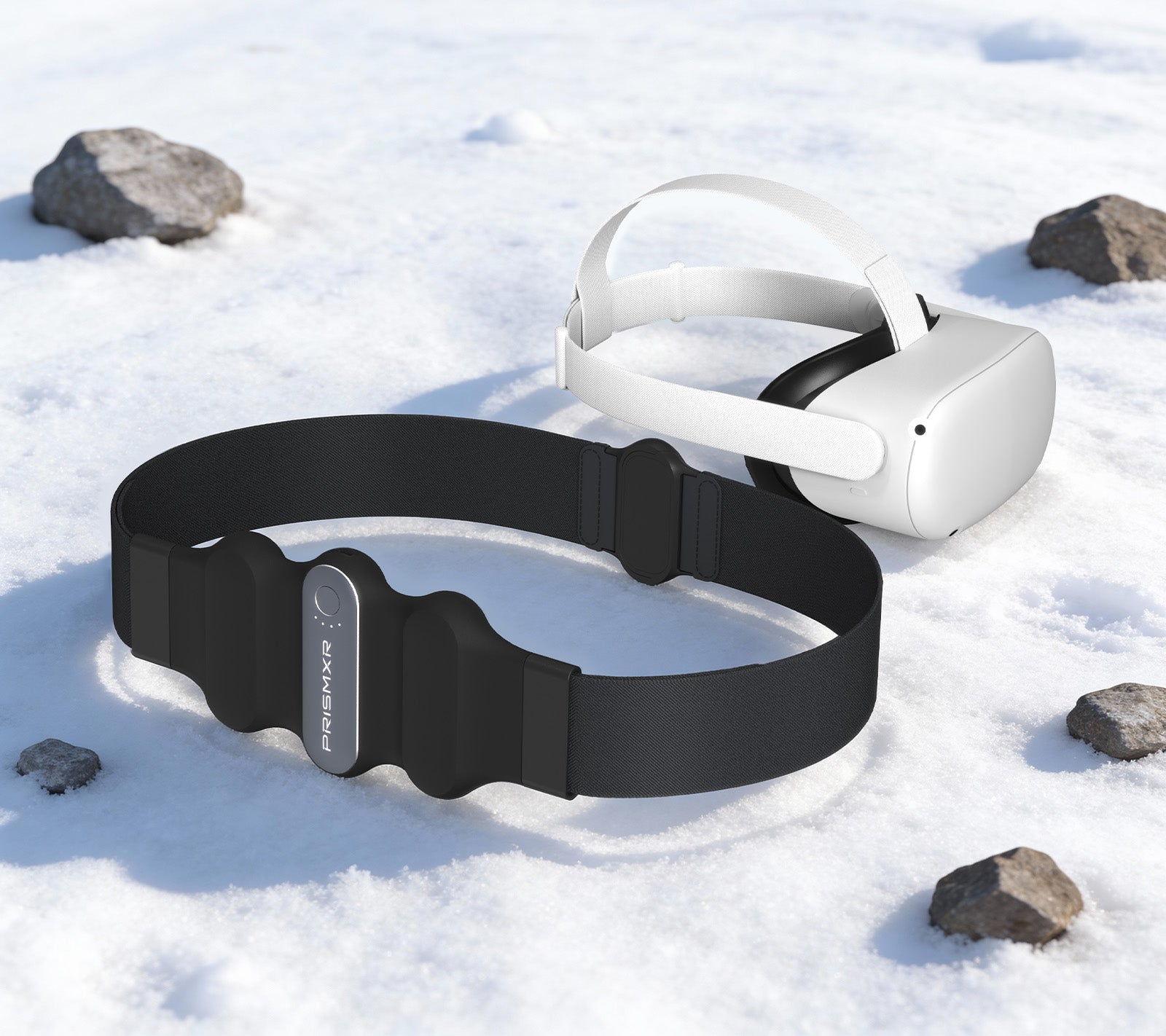
Its Dual-Worn Design Revolution allows it to be worn as a waist belt or a cross-body strap. Constructed from food-safe TPU and adjustable elastic, it prioritizes comfort and a secure fit. This design philosophy actively redistributes the weight of the power bank away from the user's head, directly addressing the front-heaviness of the Quest 2 for enhanced, strain-free immersion.
Understanding that VR is active, the Carina W1 is engineered to Stay Cool and Charge Fast. It incorporates a cooling system with thermal insulation and heat-dissipating materials to maintain a comfortable temperature during use. Its discreet, integrated cable design ensures a seamless and uninterrupted power connection, eliminating cable snags.
For performance, it delivers on the core promise: Extended Playtime. The integrated 10,000mAh battery can triple your total playtime to approximately 9 hours and notably reduces the charging time for your Quest 2 by half. A clear LED indicator keeps you informed of battery levels. Furthermore, it supports Superfast Charging with up to 30W of output power, making it significantly faster than standard power banks.
Finally, its Universal Compatibility ensures it's not a single-use accessory. It can charge any device with a USB-C port, supporting multiple fast-charging standards, making it a valuable power source for your phone, tablet, or other electronics outside of VR.
How to Integrate a Battery Pack into Your VR Routine
Integrating a battery pack smoothly is key to reaping the benefits. For strap-mounted packs, ensure it's securely fastened and centered to act as an effective counterweight. For wearable packs like the Carina W1, adjust the straps for a snug but comfortable fit around your waist or torso before connecting the short cable to your headset. Develop a charging habit: when you finish playing, plug in both your headset and your battery pack for meta quest 2 so they're both ready for the next adventure. This eliminates battery anxiety entirely.
Conclusion: Unleash Your Quest 2's True Potential
Investing in a high-quality VR battery pack Quest 2 is one of the most impactful upgrades you can make for your headset. It transcends the simple function of adding minutes to your clock. The right pack liberates you from the anxiety of a dying battery, rebalances your headset for unparalleled comfort, and allows you to stay lost in virtual worlds for as long as you desire. By prioritizing factors like capacity, intelligent design, cooling, and connectivity, you can select a solution that doesn't just extend your playtime but elevates your entire VR experience.
Frequently Asked Questions (FAQ)
H3: Will using a third-party battery pack void my Meta Quest 2 warranty?
No, using an external battery pack will not void your Quest 2 warranty. The warranty covers defects in materials and workmanship of the headset itself. Using a certified, high-quality battery pack that delivers appropriate power (like a standard USB-C PD pack) is safe and considered normal use. Always ensure the pack has proper safety certifications.
Can I use any regular power bank as a battery pack for my Quest 2?
Technically, yes. Any USB-C power bank can charge the Quest 2. However, a standard power bank lacks the dedicated design for VR. You'll have to deal with a loose cable and find a way to carry the bank (e.g., in a pocket), which can be cumbersome and immersion-breaking. Purpose-built battery pack quest 2 solutions offer integrated cable management, wearable formats, and counterweight balancing that generic power banks do not.
How do I know if a battery pack is charging my Quest 2 at full speed?
The Quest 2 can accept up to about 18W for charging. To charge at full speed, your battery pack needs to support a fast-charging protocol like USB Power Delivery (PD). Check the product specifications for an output that says "18W PD" or higher on the USB-C port. When connected and the headset is under 80% charge, you should see a lightning bolt icon next to the battery indicator inside the headset, signifying a fast-charging connection.