 USD
USD



Stop the Lag: Why Your Meta Quest 3 Needs a Dedicated Router
You've unboxed your shiny new Meta Quest 3, ready to dive into breathtaking virtual worlds. The graphics promise to be incredible, and the wireless freedom is a game-changer. You fire up a PC VR game through Air Link or Virtual Desktop, but instead of smooth, immersive gameplay, you're met with a frustrating slideshow of lag, compression artifacts, and sudden disconnections. The problem likely isn't your headset or your PC—it's your Wi-Fi.
For many, the household router just isn't cut out for the demanding task of PC VR streaming. It's trying to do too many things at once: streaming 4K video, handling your phone's social media updates, and downloading files, all while you're asking it to maintain a perfect, high-bandwidth connection for VR. The solution? Investing in a dedicated router for Quest 3 is the single most effective way to transform your wireless VR from a stuttering mess into a buttery-smooth dream. Let's break down why this is essential and how to choose the best router for gaming and streaming for meta quest 3.
The Wi-Fi Bottleneck: Why Your Household Router Isn't Enough
Think of your home Wi-Fi network as a busy multi-lane highway. During peak hours, when everyone is home streaming, gaming, and browsing, traffic slows to a crawl. Your VR headset is like an ambulance trying to get to the hospital—it needs a clear, uninterrupted path. Standard routers treat all data equally, causing critical VR data packets to get stuck in traffic jams with less important data.
PC VR streaming is incredibly data-intensive. It requires a constant, high-speed, and low-latency connection to transmit high-resolution video and audio from your powerful gaming PC to your headset, while simultaneously sending your controller inputs back to the PC. Any delay or dropped data results in the lag, blurriness, and "jitter" that can ruin immersion and even cause motion sickness. By setting up a router solely for your VR needs, you're essentially building a private, VIP lane on that highway, reserved exclusively for your Quest 3.
What to Look For in a VR-Dedicated Router
Not all routers are created equal, especially when it comes to the unique demands of wireless VR. When shopping for the best wifi router for meta quest 3, you should prioritize a few key features above all else.
Wi-Fi 6 (AX) is Non-Negotiable
Wi-Fi 6 is the current generation standard and a massive leap forward from older Wi-Fi 5 (AC) routers. It's designed for dense, high-traffic environments and introduces technologies like OFDMA (Orthogonal Frequency-Division Multiple Access), which allows the router to communicate with multiple devices more efficiently. For VR, this means a more stable and consistent connection, even if other devices are briefly connected to the same network.
The Magic of a Direct, Wired Connection
This is the most critical part of the setup. Your dedicated router must be connected directly to your gaming PC via an Ethernet cable. This creates the shortest possible path for data: from your PC, through the cable, to the router, and then wirelessly to your headset. This eliminates the major source of latency and instability that comes from a fully wireless connection between your PC and the main house router.
Key Technical Specs for Flawless Streaming
-
5 GHz Band: You will exclusively use the 5 GHz band for your Quest 3. It offers faster speeds and less interference than the more crowded 2.4 GHz band.
-
80 MHz or 160 MHz Channel Width: A wider channel means more data can be sent at once. Aim for 80 MHz as a minimum, with 160 MHz being the gold standard for maximum throughput.
-
Low Latency: Look for routers that emphasize gaming performance, as they are often optimized to prioritize data packets that are sensitive to delay.
Top Performer: The Puppis S1 Dedicated VR Router
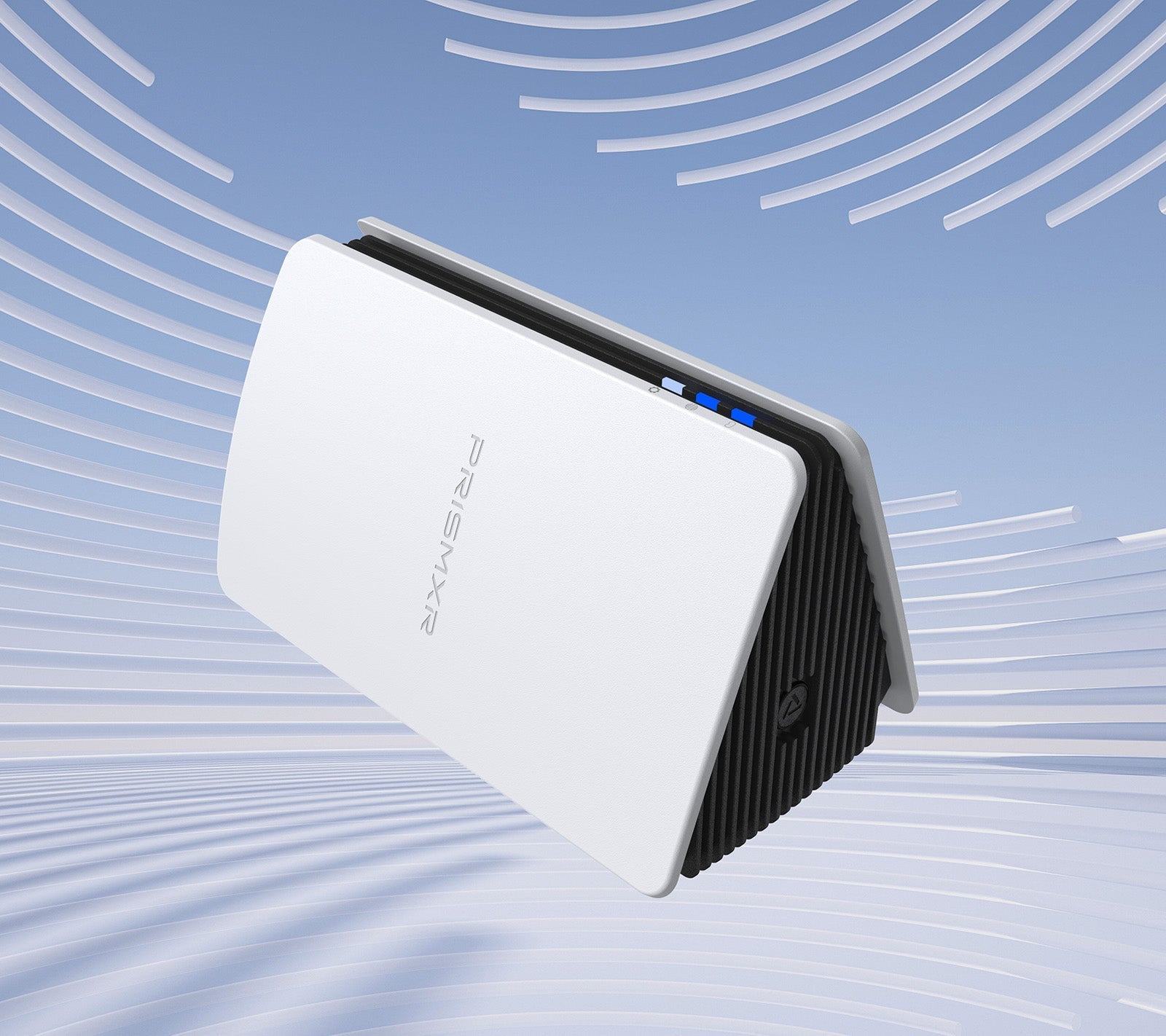
While you can repurpose any quality Wi-Fi 6 router, some are built from the ground up with a single purpose: perfect PC VR streaming. A standout example of this specialized approach is the Puppis S1 from PrismXR.
This device isn't trying to be the center of your smart home; it's designed to be the ultimate wireless bridge between your PC and your VR headset. Its feature set reads like a checklist for the perfect dedicated router for quest 3.
Engineered for Speed and Stability
At its heart, the Puppis S1 is powered by a robust 1.3GHz Dual-core chipset running custom software. This Dedicated Connection by PrismPulse Mode is engineered to create a direct, high-priority link between your PC and VR headsets like the Quest 3. It uses advanced beamforming technology to focus the Wi-Fi signal directly at your headset, minimizing interference and ensuring a rock-solid connection that lets you fully lose yourself in the virtual world.
When it comes to raw speed, the Puppis S1 doesn't disappoint. It supports Ultra-Fast Wi-Fi with 2x2 MIMO and a 160MHz bandwidth, delivering a total network speed of 3000 Mbps. Specifically, the 5GHz band, which you'll use for VR, boasts a blistering 2402Mbps. This massive bandwidth headroom is more than enough to handle the highest quality streaming settings in Virtual Desktop or Air Link without breaking a sweat.

Puppis S1 AX3000 Specialized Router for PC-VR Streaming
Dedicated Connection by PrismPulse Mode: Puppis S1's uniquely crafted software, propelled by a powerful 1.3GHz Dual-core chipset, bridges your PC and VR...
Know More >>
- $89.99
- ★★★★★ (4.9)
Unbelievably Simple Setup
One of the biggest hurdles for many users is network configuration. The Puppis S1 tackles this brilliantly with its Easy Set Up with EaseLink technology. This exclusive Bluetooth feature creates a simple, independent link between your phone (via the PrismXR app) and the router. The app guides you through a hassle-free setup process, managing the device and securing your connection with an intuitive interface. You don't need to be a network engineer—you can be up and running in minutes without installing any drivers.
Built for the VR Ecosystem
The Broad Compatibility of the Puppis S1 ensures it works seamlessly with your entire setup. It's officially compatible with the Meta Quest 2, Quest 3, and Quest Pro, as well as the Pico 4 and PC-powered headsets like the HTC Vive and Valve Index when used for streaming. It works flawlessly with all the major software platforms, including the official Oculus/Meta desktop software, SteamVR, and the beloved Virtual Desktop.
More Than Just a VR Router
While its primary function is VR excellence, the Puppis S1 also offers Versatile Modes that add extra value. Its "WiFi Hotspot Mode" allows you to share your PC's internet connection as a secure hotspot for other devices. The "WiFi Adapter Mode" is a clever feature that can add Wi-Fi capability to a desktop PC that lacks it, by connecting the router to the PC via Ethernet.
If you're looking for a plug-and-play solution that eliminates the guesswork and is optimized for one thing and one thing only—perfect wireless VR—the Puppis S1 is an exceptional choice.
How to Set Up Your Dedicated VR Router
Setting up a second router might sound daunting, but it's a straightforward process. Here’s the simple step-by-step guide:
-
Connect to Your PC: Plug your dedicated router (like the Puppis S1) into your gaming PC using an Ethernet cable. Connect it to one of the LAN ports on the router, not the WAN/Internet port.
-
Power It Up: Connect the router to power. Do not connect it to your main home internet modem/router.
-
Configure the Network: Using the router's app or web interface (the Puppis S1 uses its EaseLink app for this), set up a new Wi-Fi network. Give it a distinct name, like "VR-Gaming." Set it to use the 5 GHz band with WPA2 or WPA3 security.
-
Connect Your Quest 3: On your Quest 3, go to Settings > Wi-Fi and connect to the new "VR-Gaming" network you just created.
-
Launch and Play: That's it! Now, when you launch Air Link or Virtual Desktop, your Quest 3 will be communicating directly with your PC over a clean, high-speed connection.
Is a Dedicated Router Worth the Investment?
Absolutely. For any serious PC VR enthusiast using a Quest 2 or Quest 3, a dedicated router for quest 3 is not an extravagance; it's a core component of the setup. The difference in performance is not subtle. It's the difference between being constantly aware of the technology and truly forgetting you're in a headset at all. You'll experience:
-
Elimination of lag and stutter.
-
Sharper image quality with fewer compression artifacts.
-
Greater consistency and fewer random disconnections.
-
The ability to max out the bitrate in streaming software for the best possible visual fidelity.
Whether you choose a well-regarded general-purpose Wi-Fi 6 router or a specialized device like the Puppis S1, you are making an investment in the quality of your virtual reality experiences. Don't let a weak Wi-Fi link be the bottleneck that holds back your powerful hardware. Unlock the true wireless potential of your Meta Quest 3 today.