 USD
USD





In the competitive arena of online gaming, victory often hinges on milliseconds. A split-second delay in your command can mean the difference between a glorious headshot and a frustrating respawn timer. While much attention is paid to graphics cards, processors, and high-refresh-rate monitors, the network backbone of your gaming setup is frequently overlooked. The humble router for gaming is, in fact, a critical piece of hardware that can either be a bottleneck or a superhighway for your data. This guide will demystify the technology, outline the essential features to look for, and help you answer the pressing question: What is the best router for gaming for your specific needs?
What Makes a Gaming Router Different from a Standard Router?
Gaming routers are engineered with one primary objective: to prioritize gaming traffic and minimize latency (ping). Standard routers treat all data packets equally, which means your game's crucial position update might get stuck in a queue behind a family member's video stream. A dedicated router for gaming employs advanced Quality of Service (QoS) algorithms that can identify and prioritize gaming packets, ensuring they get the fastest lane on your network.
Key differentiators include more powerful processors to handle traffic shaping, superior heat dissipation for sustained performance, and often, multiple high-gain antennas for stronger, more stable wireless signals. They are built to manage the demands of multiple connected devices without letting your gaming experience suffer.
Essential Features to Look for in a Gaming Router
When evaluating potential routers, several technical specifications are non-negotiable for a serious gaming setup.
Does Wi-Fi 6 (802.11ax) Matter for Gaming?
Absolutely. Wi-Fi 6 is a significant leap forward. It introduces technologies like OFDMA (Orthogonal Frequency-Division Multiple Access) and Target Wake Time, which drastically improve efficiency in crowded networks. For gamers, the most immediate benefit is lower latency and more consistent speeds, especially when other devices are active on the network. If you are investing in a new router for gaming, Wi-Fi 6 should be considered the baseline standard.
How Important is Quality of Service (QoS)?
This is arguably the most critical feature. Advanced QoS allows you to designate your gaming PC, console, or specific game traffic as the highest priority. Look for routers that offer granular control, enabling you to prioritize by device, application, or even by Ethernet port. This ensures that your game commands are never waiting in line.
What is MU-MIMO and Beamforming?
MU-MIMO (Multi-User, Multiple-Input, Multiple-Output) allows a router to communicate with multiple devices simultaneously, rather than sequentially. This is vital in a modern smart home. Beamforming focuses the Wi-Fi signal directly towards your connected devices instead of broadcasting it in all directions, resulting in a stronger, more reliable connection to your gaming station. Both technologies work together to provide a stable and fast wireless link, which is essential for competitive play.
Wired vs. Wireless: The Eternal Debate for Gamers
For the absolute lowest and most consistent latency, a wired Ethernet connection is unbeatable. It provides a direct, dedicated line to your router, free from wireless interference. Every serious gamer should use a wired connection for their primary PC or console if physically possible.
However, the practicality of running cables is not always feasible. Modern high-end gaming routers have closed the gap considerably. With technologies like Wi-Fi 6 and intelligent beamforming, a strong wireless connection can now deliver performance that is more than adequate for all but the most hyper-competitive esports professionals. The choice often comes down to your physical setup and tolerance for potential micro-variations in ping.
Specialized Solutions: The Router for PC-VR Streaming
The quest for immersive gaming extends beyond the monitor into Virtual Reality. PC-VR streaming, where a powerful computer renders the game and wirelessly transmits it to a headset like the Meta Quest 2 or 3, places extraordinary demands on a network. Standard routers, even gaming-focused ones, can struggle with the consistent, high-bandwidth, low-latency stream required for a comfortable VR experience.
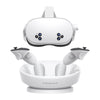
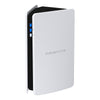
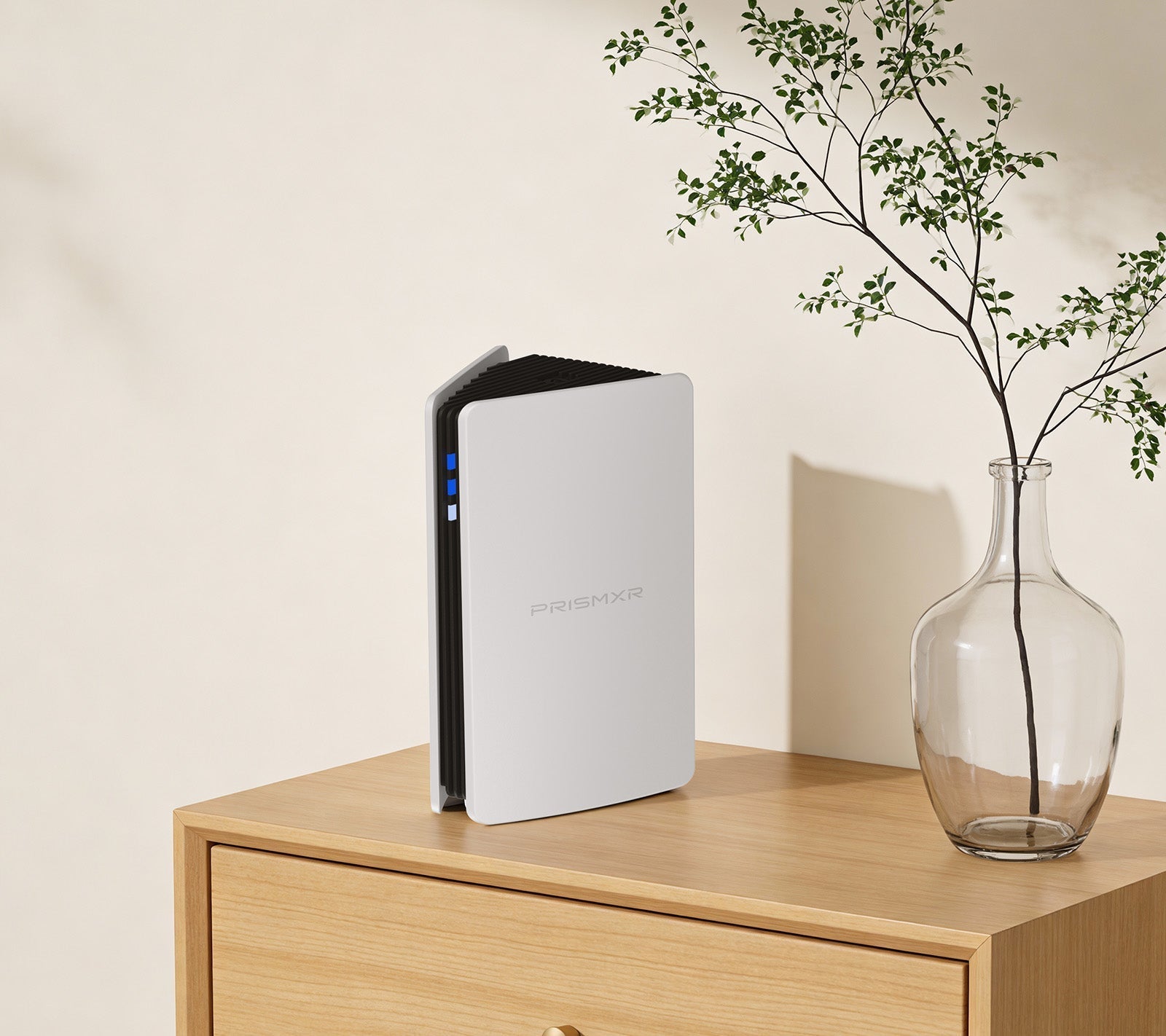
This niche has given rise to specialized hardware designed for a single, demanding purpose. A prime example is the Puppis S1 Wi-Fi 6 Router from PrismXR. Unlike a general-purpose router, the Puppis S1 is engineered specifically as a router for gaming in the VR space. Its Dedicated Connection by PrismPulse Mode uses a powerful 1.3GHz dual-core chipset to create a direct, high-speed bridge between your PC and VR headset. Advanced beamforming technology minimizes interference from other Wi-Fi signals, carving out a clean channel for your virtual world.
With support for 160MHz bandwidth and a total network speed of 3000 Mbps, it ensures the ultra-fast data transfer needed for high-resolution VR streaming. Setup is simplified through unique EaseLink technology, which uses Bluetooth for a secure, hassle-free connection to the management app without needing drivers. For gamers looking to untether their VR experience without compromise, exploring dedicated solutions like the Puppis S1 is a logical step.
Top Router Recommendations for Different Gaming Needs
Choosing the best router for gaming depends on your platform, home layout, and specific use cases.
For the Competitive PC/Console Esports Player
Your priority is rock-solid, low-latency connectivity. A tri-band Wi-Fi 6E router that can dedicate an entire 6GHz band to your gaming machine is ideal. Look for models with robust, customizable QoS and multiple high-speed Ethernet ports to wire in your crucial devices. Brands like Asus (with their Gaming Port feature) and Netgear (Nighthawk series) are strong contenders in this space.
For the Household with Multiple Streamers and Gamers
Here, network management is key. You need a router that can seamlessly handle 4K video streaming, video calls, and online gaming simultaneously without breaking a sweat. A powerful Wi-Fi 6 router with strong MU-MIMO implementation and QoS that can automatically classify traffic is essential. Mesh router systems can also be an excellent choice to eliminate dead zones without creating a complex network.
For the VR Enthusiast and Tech Early Adopter
As discussed, specialized hardware can offer a superior experience for wireless PC-VR. The Puppis S1 stands out by focusing exclusively on this task. Its compatibility with major headsets like Quest 2, Quest Pro, Pico 4, and software like Virtual Desktop and SteamVR makes it a versatile tool. Furthermore, its additional WiFi Hotspot and Adapter modes add unexpected utility, making it more than a single-use device. For a seamless, high-fidelity wireless VR setup, it represents a targeted and effective answer to what is the best router for gaming in this specific domain.
Installation and Optimization Tips for Peak Performance
Purchasing a powerful router is only half the battle. Proper setup is crucial.
- Strategic Placement: Position your router centrally, elevated, and away from thick walls, metal objects, and other electronics like microwaves or cordless phones that cause interference.
- Firmware Updates: Always ensure your router's firmware is up-to-date. Manufacturers release updates that improve performance, stability, and security.
- Channel Selection: Use your router's admin tool or a Wi-Fi analyzer app to find the least congested channel for your 2.4GHz and 5GHz bands, especially in apartment buildings.
- Configure QoS: Immediately set up Quality of Service rules to prioritize your gaming device. This is the single most impactful software setting you can adjust.
Conclusion
The search for the best router for gaming is a balance of understanding core technologies—Wi-Fi 6, QoS, MU-MIMO—and aligning them with your personal gaming habits. For most, a high-performance general-purpose gaming router will provide a transformative upgrade over an ISP-provided box. For those pushing into the demanding world of wireless PC-VR, specialized equipment like the PrismXR Puppis S1 offers a compelling, purpose-built solution that can elevate immersion by eliminating the cable tether without sacrificing performance. By investing thoughtfully in your network infrastructure, you equip yourself with an invisible ally, ensuring your skill, not your latency, determines the outcome of every match.
Frequently Asked Questions (FAQ)
Can I just use the router provided by my Internet Service Provider (ISP) for gaming?
While possible, it is not recommended. ISP combo units (modem/router) are often built to a cost and lack the processing power, advanced QoS features, and cooling required for consistent, low-latency gaming. They are frequently the source of network bottlenecks and instability.
How often should I replace my gaming router?
There's no fixed schedule, but a good rule of thumb is to consider an upgrade every 3-4 years. Wi-Fi standards evolve, and the number of devices in a typical home grows rapidly. If you're experiencing persistent lag, dropped connections, or cannot support new devices like Wi-Fi 6 compatible hardware, it's likely time for an upgrade.
Do more antennas always mean a better Wi-Fi signal for gaming?
Not necessarily. The number of antennas is related to the router's MIMO capabilities (e.g., 4x4 vs. 2x2). While more antennas can help with range and simultaneous data streams, the quality of the amplifiers, the chipset, and intelligent software features like beamforming are more important. A well-designed router with three internal antennas can often outperform a model with eight external, poorly tuned ones.