 USD
USD





In today's connected home, a reliable internet connection is the backbone of entertainment and productivity. For gamers and streamers, this need is amplified. Standard routers provided by internet service providers often fail to deliver the consistent speed, low latency, and robust coverage required for seamless online gaming and high-definition video streaming. This is where investing in a dedicated wifi gaming router becomes not just an upgrade, but a necessity. This guide will navigate the critical features you need and recommend top-tier hardware to transform your digital experience.
Why Your Standard Router Isn't Enough for Gaming and Streaming
Most households use the all-in-one modem/router combo supplied by their ISP. These devices are designed for general use—checking email, browsing social media, and casual video watching. However, they lack the sophisticated hardware and software needed to manage the intense, simultaneous demands of modern digital lifestyles.
Online gaming requires constant, bidirectional communication with game servers. Any delay or packet loss results in lag, rubber-banding, or disconnections, which can be the difference between victory and defeat. Streaming, especially in 4K or HDR, demands a steady, high-bandwidth download stream. When these activities happen concurrently on the same network, a basic router struggles to prioritize traffic effectively, leading to buffering and high ping times. For a focused look at hardware designed for these dual purposes, explore our guide on the best router for gaming and streaming.
Key Features to Look for in the Best WiFi Router
Selecting the right router involves understanding the technology under the hood. Here are the non-negotiable features for a superior wifi router.
1. Wi-Fi 6 (802.11ax) Standard
Wi-Fi 6 is the current generation wireless standard and a must-have. It offers significant improvements over Wi-Fi 5 (802.11ac), including higher data rates, increased capacity, better performance in environments with many connected devices, and improved power efficiency. Key technologies like OFDMA (Orthogonal Frequency-Division Multiple Access) allow the router to communicate with multiple devices simultaneously, rather than sequentially, drastically reducing latency.
2. Dual-Band or Tri-Band Operation
A quality wifi gaming router will be at least dual-band, broadcasting separate 2.4GHz and 5GHz networks. The 2.4GHz band offers longer range but is more crowded and slower. The 5GHz band provides faster speeds and less interference but over a shorter distance. For the ultimate performance, consider a tri-band router, which includes one 2.4GHz band and two separate 5GHz bands. This allows you to dedicate one 5GHz band exclusively to your gaming console or PC, ensuring no other device competes for its bandwidth.
3. Advanced Quality of Service (QoS)
QoS is arguably the most critical feature for a gaming and streaming router. It allows you to prioritize network traffic. Modern QoS systems, often called "Gaming QoS" or "Streaming Mode," can automatically detect and prioritize traffic from games and streaming services over less time-sensitive activities like file downloads or backups. This ensures your game gets the lion's share of bandwidth when it needs it most.
4. MU-MIMO and Beamforming
MU-MIMO (Multi-User, Multiple Input, Multiple Output) allows a router to communicate with multiple devices at the same time, rather than switching between them. When combined with beamforming technology—which focuses wireless signals toward specific devices rather than broadcasting in all directions—the result is stronger, more reliable connections to each device on your network.
5. Powerful Hardware: CPU and RAM
A router is essentially a specialized computer. Processing network data, running security protocols, and managing QoS all require CPU power and memory. A router with a multi-core processor and ample RAM will handle multiple high-bandwidth activities without overheating or slowing down, providing a stable foundation for your network.
Top Router Recommendation: The Puppis S1 AX3000 WiFi 6 Router
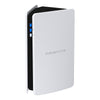
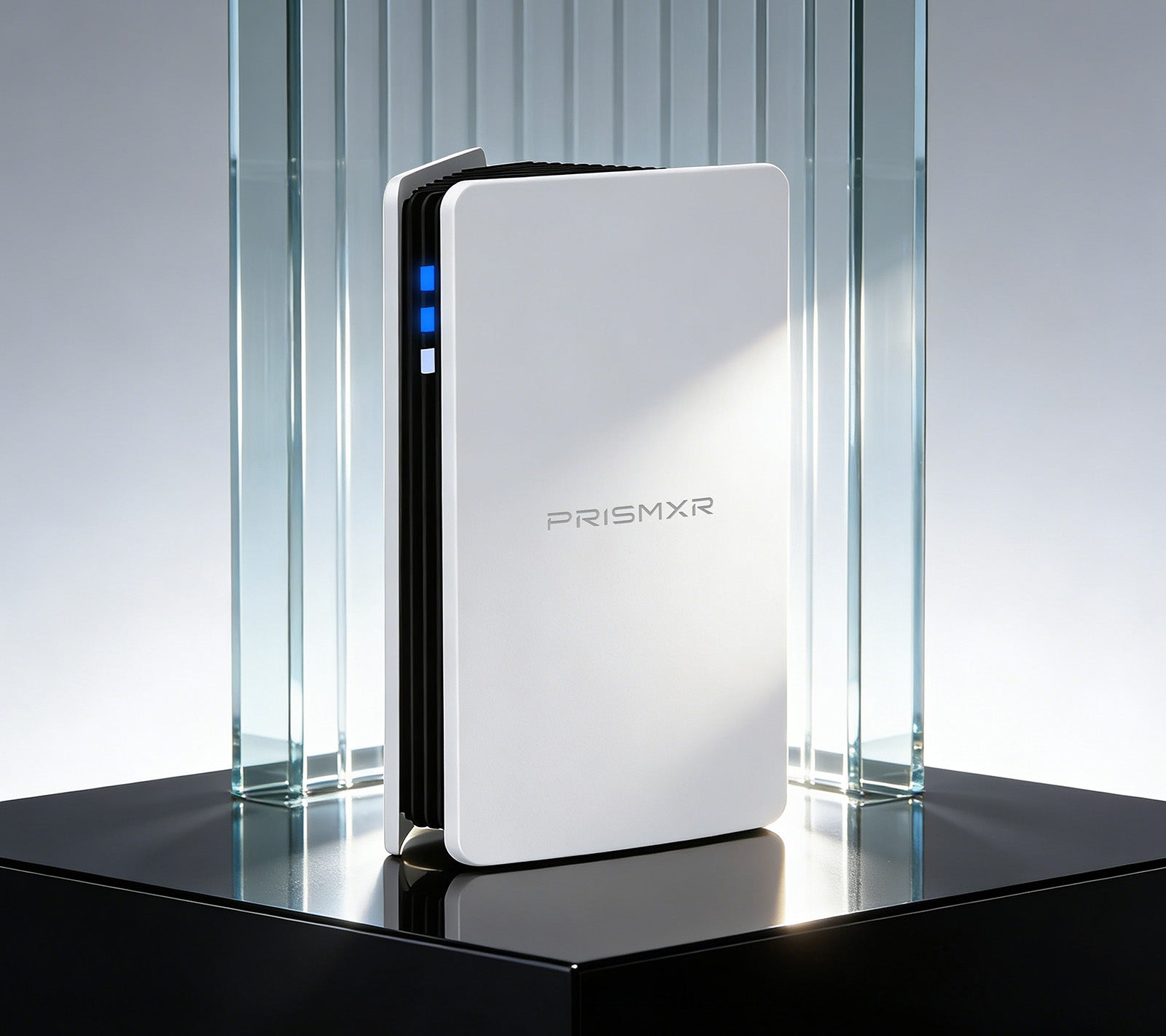
For users whose primary focus is PC to VR streaming and lag-free gaming, a specialized solution often outperforms a general-purpose router. The Puppis S1 from PrismXR is engineered from the ground up for this exact purpose, making it a standout candidate for the best wifi router for immersive experiences.
Dedicated Connection with PrismPulse Mode
At its core, the Puppis S1 features uniquely crafted software, propelled by a powerful 1.3GHz Dual-core chipset. It creates a dedicated bridge between your gaming PC and VR headsets like the Quest 2 and Quest Pro. This focused connection, enhanced by advanced beamforming to minimize interference from other Wi-Fi signals, provides the speed and stability required for truly immersive VR gaming without the tether of a cable.
Engineered for Ultra-Fast Wi-Fi
The Puppis S1 is not just a dedicated link; it's a speed demon. It supports the latest Wi-Fi 6 features like 2x2 MIMO 160MHz bandwidth and 1024-QAM modulation. This technical prowess translates to a staggering total network speed of 3000 Mbps—2402Mbps on the 5GHz band and 575Mbps on the 2.4GHz band. This ensures that high-bitrate VR data flows without compression artifacts or latency.
Simplified Setup with EaseLink Technology
Complex router setups are a barrier for many. The Puppis S1 eliminates this with its unique EaseLink technology. This exclusive Bluetooth feature creates an independent, reliable link between the PrismXR App and the router itself. The result is a robust, hassle-free setup process that requires no driver installation. Device management and internet connectivity are streamlined within an intuitively designed app, making advanced networking accessible to everyone.
Broad Compatibility and Versatile Operation
Compatibility is comprehensive. The router works with major VR headsets including Quest 2, Rift, Quest Pro, Pico 4, HTC Vive, and Valve Index, through both official software (like Oculus PC app) and popular third-party platforms like Virtual Desktop and Steam. It supports both Windows and macOS.
Beyond its primary VR function, the Puppis S1 operates in two other useful modes: WiFi Hotspot Mode lets you share your PC's wired internet connection as a secure hotspot for other devices. WiFi Adapter Mode allows a desktop PC without built-in Wi-Fi to connect to a wireless network.
For users seeking an optimized, plug-and-play solution for high-performance PC-VR streaming and gaming, the Puppis S1 AX3000 WiFi 6 Router represents a targeted and highly effective investment.
Optimizing Your Network for Peak Performance
Purchasing a powerful router is only the first step. Proper setup and configuration are essential to unlock its full potential.
Strategic Placement
Position your router centrally in your home, elevated off the floor, and away from obstructions like thick walls, metal objects, and other electronics (especially microwaves and cordless phones). Avoid placing it inside a cabinet.
Band Steering and Separate Networks
Enable band steering if your router supports it, which automatically guides devices to the best available band (usually 5GHz for capable devices). For more control, you can manually create separate network names (SSIDs) for your 2.4GHz and 5GHz bands. Connect your gaming PC, console, and streaming devices exclusively to the 5GHz network.
Firmware Updates and Security
Regularly check for and install firmware updates from the manufacturer. These updates often contain performance improvements, new features, and critical security patches. Always use a strong, unique password for your Wi-Fi network and router admin panel.
Cable What You Can
For the most critical devices—your gaming PC, primary streaming box, or game console—use a wired Ethernet connection whenever possible. A direct cable connection provides the ultimate in stability, speed, and latency, freeing up wireless bandwidth for other devices.
Conclusion
In the pursuit of flawless online gaming and crystal-clear streaming, your network is the unsung hero. Upgrading from an ISP-provided gateway to a purpose-built wifi gaming router is a transformative step. By focusing on key technologies like Wi-Fi 6, intelligent QoS, and robust hardware, you can build a home network that not only keeps up with your demands but anticipates them. Whether you choose a high-performance general-purpose router or a specialized device like the Puppis S1 for VR, the investment pays dividends in reduced frustration and enhanced enjoyment of your digital world.
Frequently Asked Questions (FAQ)
Q1: Can a good WiFi router actually improve my internet speed from my ISP?
A: A router cannot increase the maximum speed you pay for from your Internet Service Provider (e.g., from 300 Mbps to 500 Mbps). However, a high-quality best wifi router can dramatically improve the efficiency and reliability of delivering that speed to your devices. It minimizes latency for gaming, reduces packet loss, and better manages bandwidth among multiple devices, ensuring you consistently achieve the speeds you're paying for, which a cheap router often fails to do.
Q2: Is it worth getting a Wi-Fi 6 router if my devices only support Wi-Fi 5?
A: Yes, it is still a worthwhile investment for future-proofing. The router itself will handle network traffic more efficiently, benefiting all connected devices through better QoS and reduced congestion. Furthermore, as you upgrade your phones, laptops, and consoles in the coming years, they will likely support Wi-Fi 6, and you will already have the infrastructure to take full advantage of their capabilities.
Q3: How often should I restart or replace my WiFi router?
A: Restarting your router every few weeks can clear its memory and resolve minor glitches, similar to restarting a computer. As for replacement, the general recommendation is to consider a new router every 3-4 years. Networking technology advances quickly, and older routers may lack security updates for newer vulnerabilities or the hardware power to manage the increasing number of devices in a modern smart home. If you experience persistent drops, slowing speeds, or an inability to use new services, it is likely time for an upgrade.